Self-monitoring
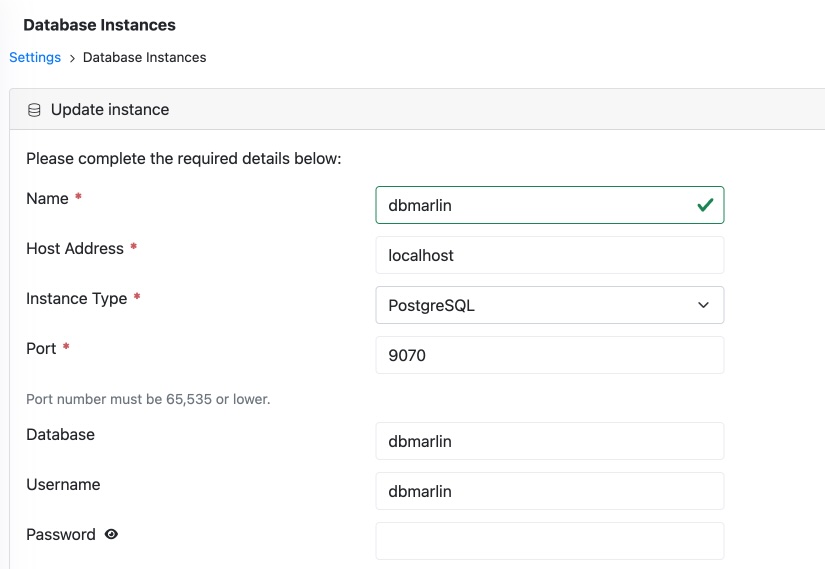
DBmarlin is a Java application with a PostgreSQL database that is critical to its operation. You might therefore want to use one of your DBmarlin licenses to monitor the DBmarlin PostgreSQL database. To do this, add a sensor under Settings -> Database Instances and use the built-in agent to connect to the DBmarlin database. If you are running DBmarlin PostgreSQL locally on the same host as the DBmarlin server, the connection will be to localhost port 9070, which can be accessed without a password, as shown in the image below.
If you would also like to monitor the status of the DBmarlin sensors, you can set up the Prometheus exporter and pull those metrics into Prometheus, where they can be alerted on via Alertmanager and visualized using something like Grafana.