Microsoft Entra
info
Requires DBmarlin 6.3.0 or above.
Setup steps in Azure Portal to setup SSO for DBmarlin.
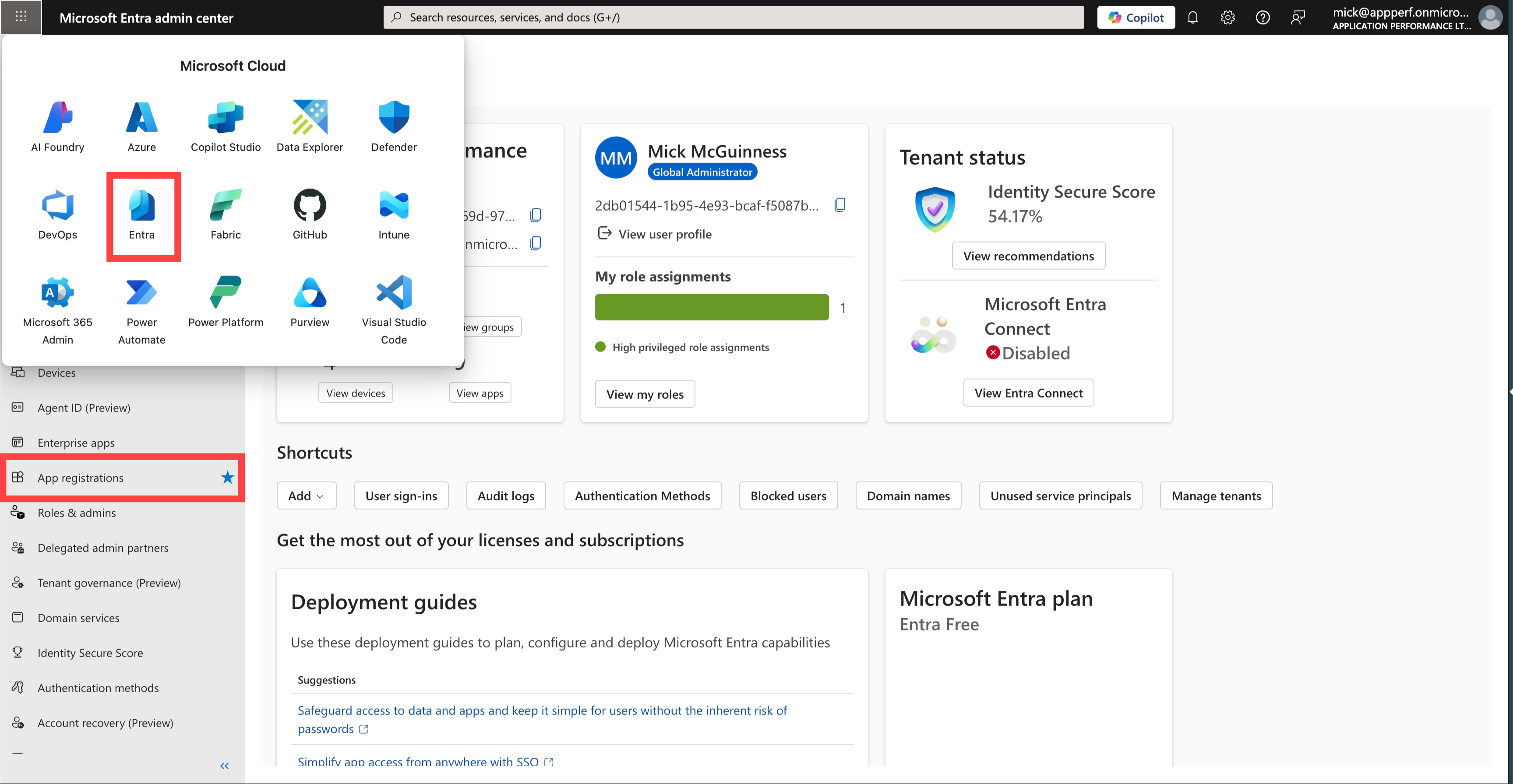
Go to Entra the App Registrations
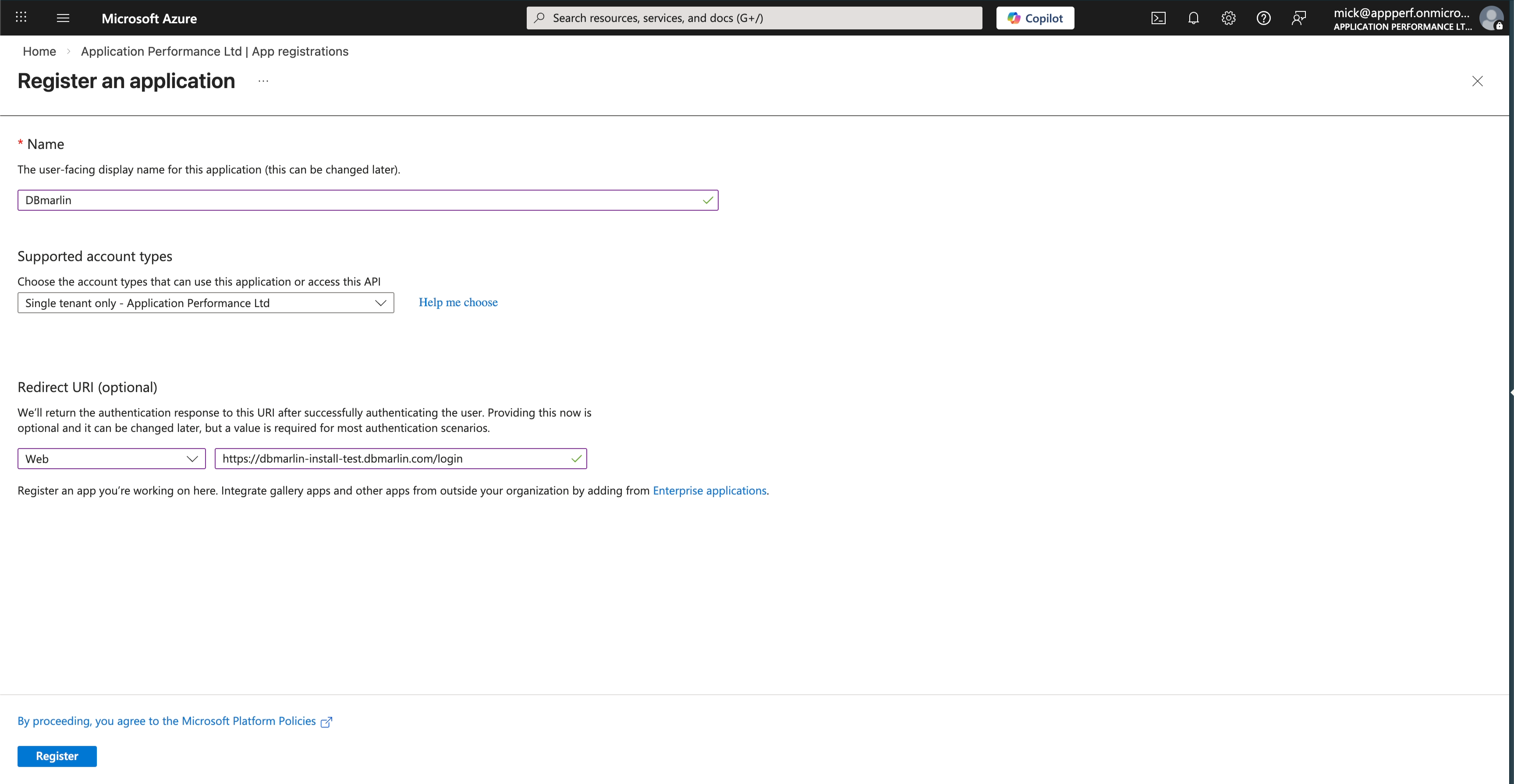
Set the Redirect URI
Configure as a Web App and set the Redirect URI to https://<dbmarlin-server>/login
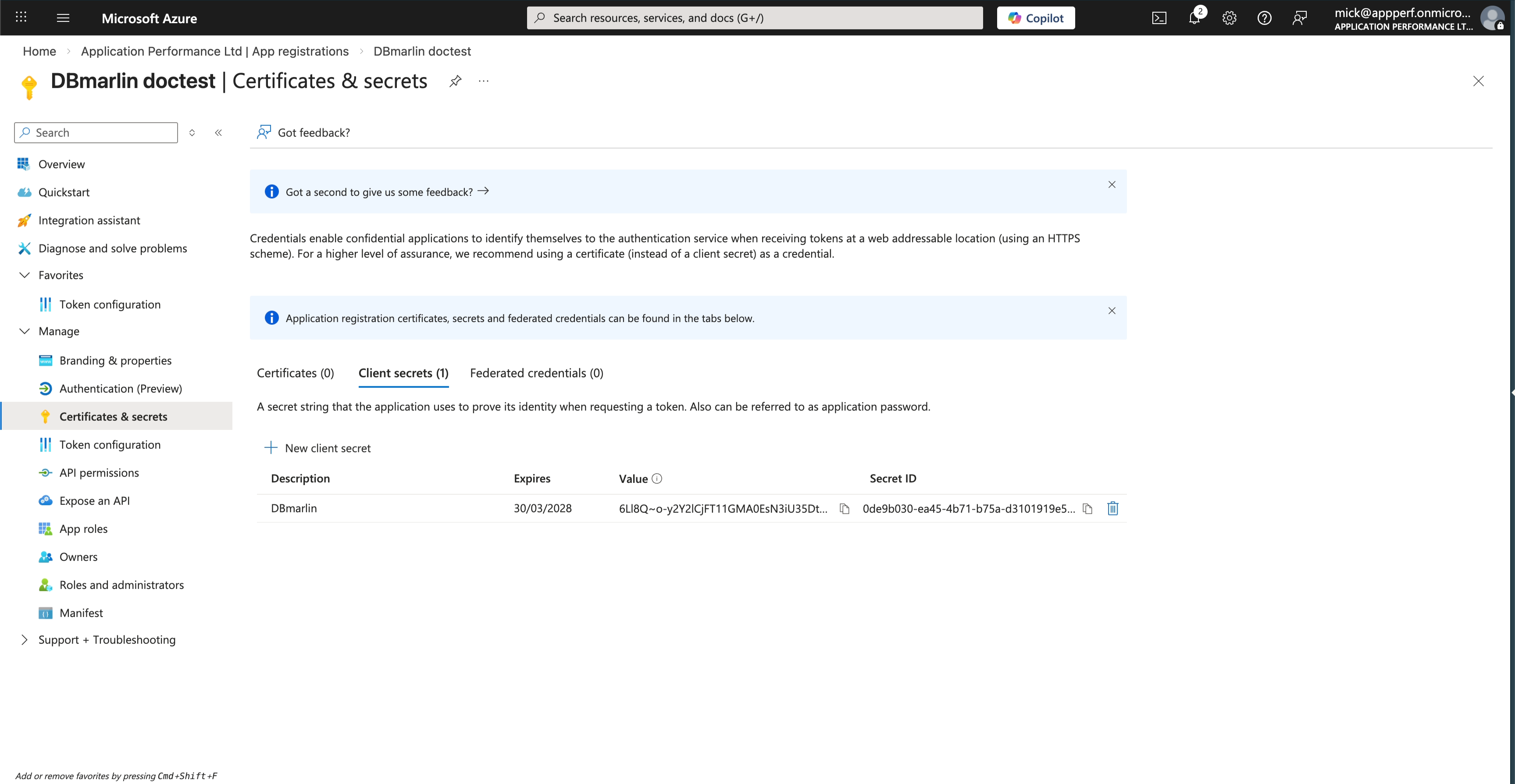
Generate a Client Secret
warning
Then copy the Value for the Client Secret which will not be shown again once you leave this screen.
Copy the required properties
Copy the Client ID, Tenant ID, Redirect URI and Client Secret which are needed for DBmarlin Server SSO setup steps.