Statistic Settings
Turning on the collection of extra statistics will apply to all instances of that particular technology.
From the left menu select Settings/Statistics and then click the Edit button for the database technology you wish to collect extra Statistics for.
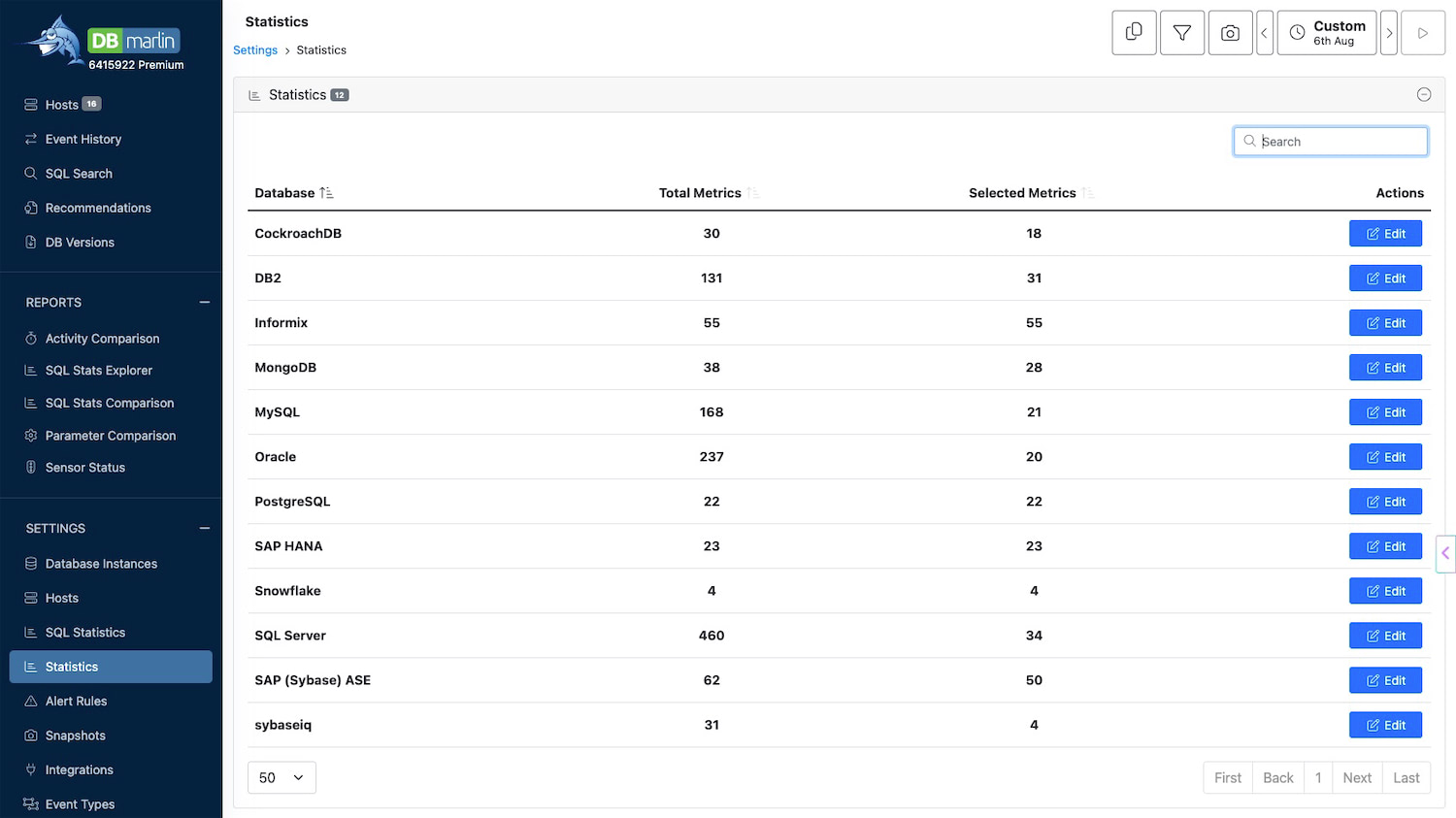
Choosing which Statistics to collect
This screen was added in DBmarlin v6.7
Once you click into a particular database technology, you can choose which additional Statistics to collect. These will be different depending on the technology as they are dependent on what the database vendor provides. The more Statistics you turn on, the more disk space you will need for your DBmarlin repository, therefore we suggest only turning on the ones that you need. After selecting all the statistics you would like collected, click the Update button to save the changes.
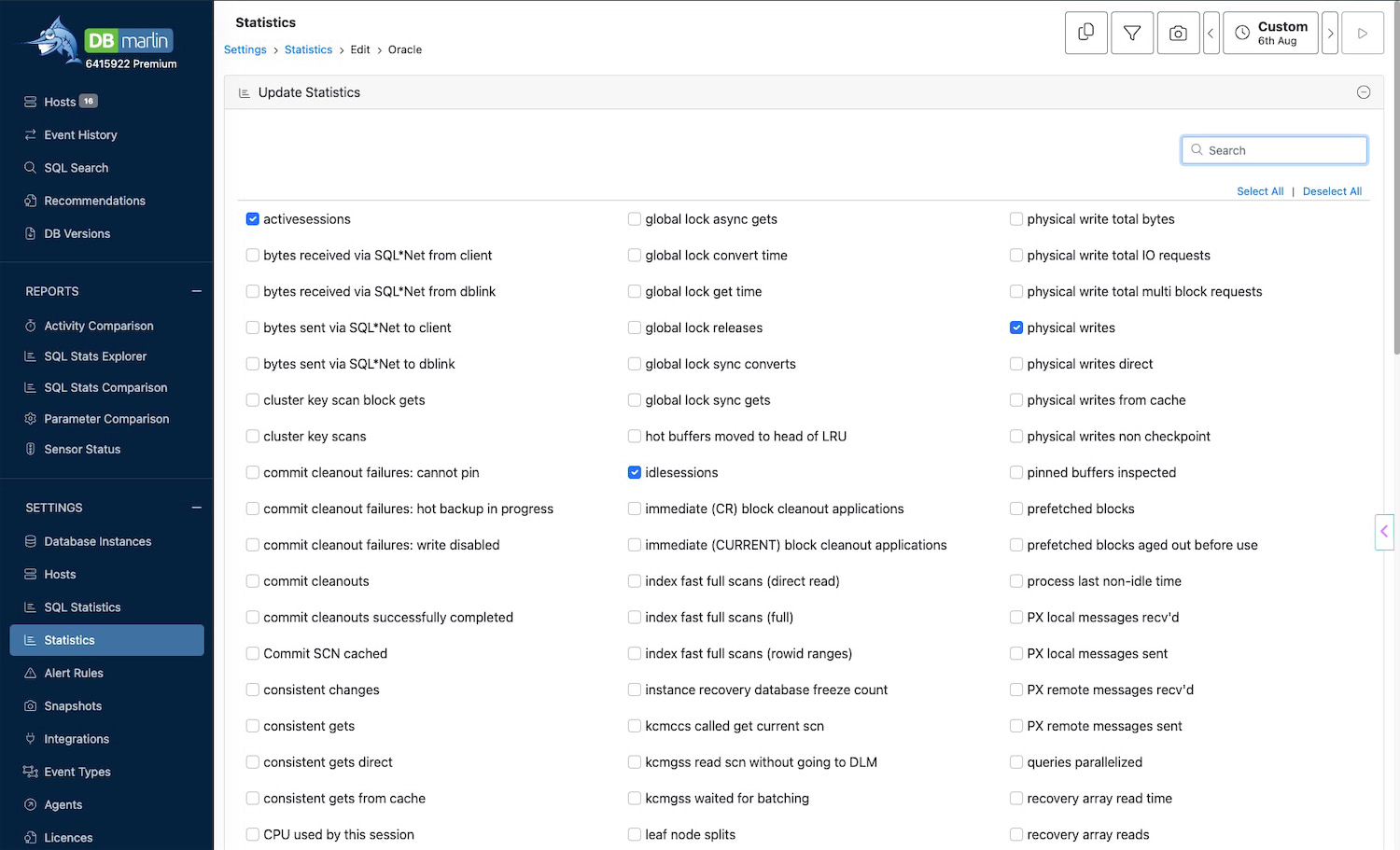
For the change to take effect you should restart one of your sensors of the same technology.
The set of Statistics shown for each technology is the superset of all that are available across all versions of that technology. For example, if you have an older database version then it might not be possible to collect certain Statistics if that Statistic only became available in a later version of the database. In this case a value of 0 will be shown on the charts.